
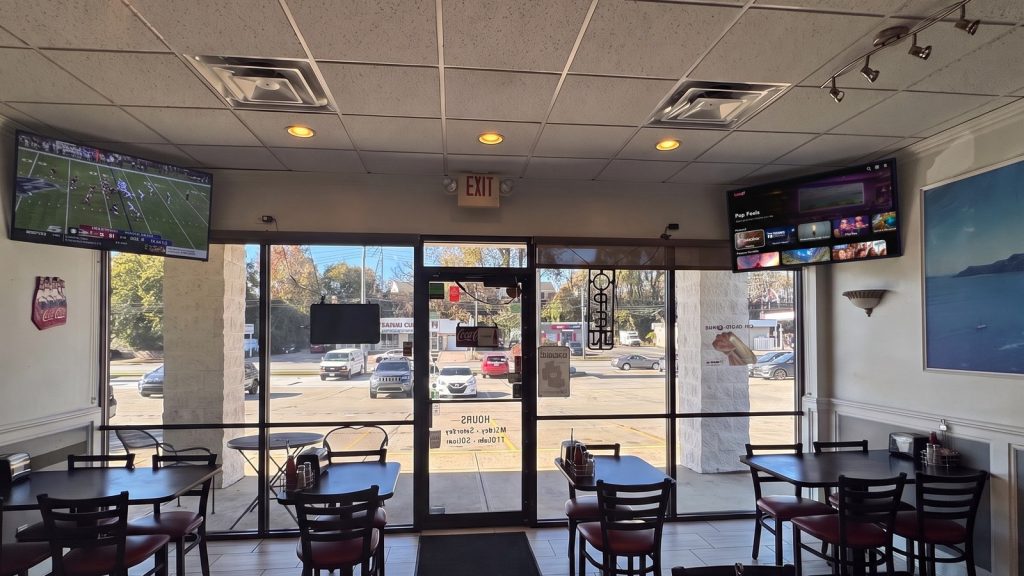
In a bar or restaurant, the TVs are part of the atmosphere. They keep the room lively, give guests something to watch while they wait on a drink or a table, and tell people what is happening tonight without a staff member saying a word. The difference between a screen that helps and a screen nobody looks at is what is on it. This guide covers what to put on your screens, where to put it, and how to keep it current without adding to your to-do list.
What guests want from the screens
Guests use the screens differently depending on where they sit. At the bar they want something fun to watch and talk about. In the dining room they want a calm backdrop that does not compete with the conversation. At the host stand and waiting area they want something easy to watch while they wait. A good setup treats each of these as its own job instead of running one thing everywhere.
A content mix that works
- Entertainment channels. Loop TV has 30+ channels, from trivia and action sports to travel, nature and music. Pick what suits your crowd and your hours. Every Loop channel comes with sound, so there is nothing extra to set up.
- Your own signage. Happy hour, daily specials, new menu items, events, live music nights and house rules all belong on screen. Upload them once and they run on their own.
- Games and participation. Trivia gets people looking up, talking and playing along.
- Time-of-day variety. Lunch, happy hour and late night are different rooms. Schedule content to match.
For a closer look at bar screens, see our guide to TV for bars. For signage ideas, see how to create digital signage for restaurants.
Channels to try
Browse the full list on the Channel Overview. A few that fit bars and casual dining well:
- Play & Participate: General Knowledge Trivia, Food Trivia, Sports Trivia, Seasonal Trivia, Pop Culture Trivia and Music Trivia get the room involved.
- Social & Shared: the trivia channels plus So Yummy, a good fit for a food crowd.
- Adrenaline: Tennis Channel, Action Sports, GoPro, Loop Danger Zone and FPV Showcase bring energy to a bar.
- Calm & Scenic: Amazing Destinations, Earth’s Natural Wonders, World’s Greatest Cities and Starscapes and Cosmos make an easy backdrop for a dining room.
- Drone channels: Golden Hour, Summit Forest, On The Water, Ocean Depths, Cinematic Skies, At Elevation, Into The Jungle and Winter Wonderland give a dining room or patio bar a sweeping, relaxed view.
- Lifestyle and music: SuperFan Studio, Soapbox, Pop Feels, Country Road and Rock Sesh add personality.
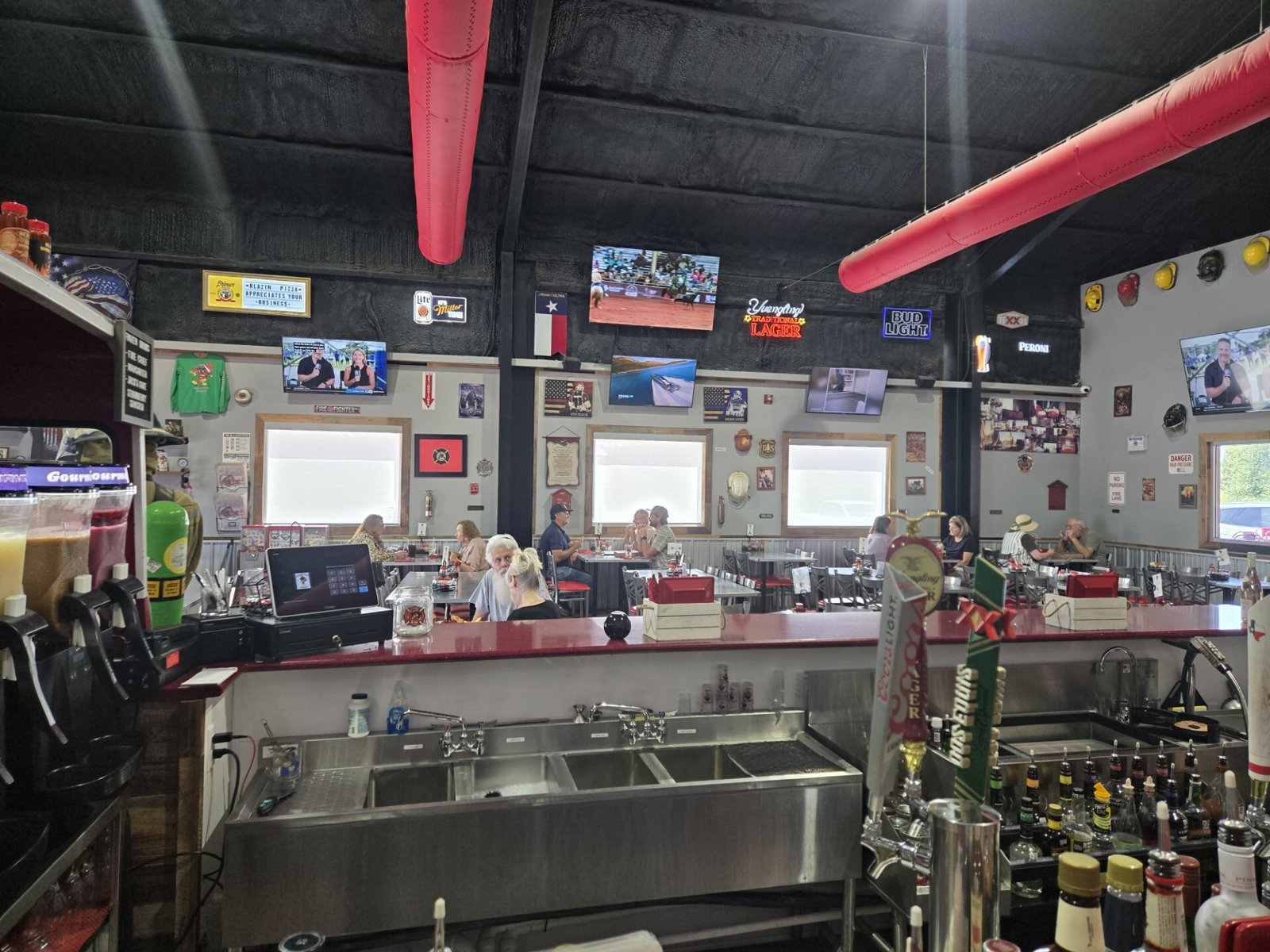
Match the content to the zone
- Bar: trivia, action and sports-style channels, with short signage spots for specials.
- Dining room: calm scenic or drone channels, with the menu highlights and daily specials.
- Host stand and waiting area: easy-to-watch channels like Amazing Destinations and Landmarks.
- Patio and lounge: drone and scenic channels, and event announcements.
Turn the sound on
Every Loop TV channel comes with its own sound, so you do not need to provide your own music or audio. We encourage you to run your channels with the sound on. It is a big part of what makes the screens feel like part of the room, and it gives guests another reason to look up and join in, especially with trivia and music channels.
If you would rather play your own music through your own speakers, you can run Loop with the sound off. Loop TV does not include music licensing, so that choice is yours to make. Either way, the screens keep working for guests who cannot hear them.
Keep it fresh with MyLoop
MyLoop is the web page you log into to manage your screens. From there you can pick channels, upload your own signage and use the scheduler to build your own custom channel from it. Set a lunch channel, a happy hour channel and a late-night channel once, then let the schedule run. When the specials change, swap the signage in MyLoop and the screens update.
Getting set up
Plug in. Connect. Play. You need a TV with HDMI and Wi-Fi. Plug the Loop player into the TV, connect it to Wi-Fi, and pick your channels in MyLoop. A venue can have more than one screen, but extra screens depend on your venue type, size and Loop approval.
Want to reach guests at other venues?
If you want to advertise your own business on Loop screens, Loop Ad Manager is a self-serve option available in select markets.
A quick checklist
- Decide what each zone needs: entertainment, information or both.
- Pick channels for the bar and the dining room.
- Run your channels with the sound on, and use sound off only if you play your own music.
- Upload your specials, events and menu highlights.
- Schedule different content for lunch, happy hour and late night.
- Review your signage every month so nothing goes stale.
Bars and casual dining are two of the places Loop TV works, along with gyms, point-of-care waiting rooms and more. If you run a bar or restaurant and want to see whether Loop TV is a fit, fill out the form on the Loop TV website to see if you qualify for a Loop TV player. To see what it looks like in a real venue, read how an Applebee’s franchisee used Loop TV.